Kitchen order ticket Lunch

Hospital kitchen management software that turns every order into a KOT

Orders from the wards, the attendee app and the admin desk arrive in one live queue. The kitchen accepts each one, prints consolidated KOTs for the right station and works through the queue, with a meal card for every patient and meal slot.

Station
Diet kitchen
Bed
Ward 4B, Bed 12
Diet
Renal, low sodium
Dispatch
Printed and on screen

Hospital kitchens cook from paper they cannot trust

A hospital kitchen runs two services at once. The diet kitchen plates renal, diabetic, liquid and soft meals for patients, while the main kitchen cooks for attendees and the canteen. Orders arrive as ward sheets, phone calls and messages, and someone has to copy them into a production list before the first tray is built.

By the time the tray line starts, the kitchen is working from handwriting. A diet change phoned in at eleven may or may not reach the person plating lunch. Nobody can see which orders are pending, which are cooking and which have left the kitchen, so wards call to ask and the kitchen stops to answer.

A hospital kitchen that runs from one live queue

Kitchen operations in MedMeals turn every order into clear work: what to cook, for whom, at which station and by when.

  • Daily meal cards per patient

    A meal card is produced for every patient and meal slot, naming the bed, ward and diet, so each tray is built for one person.

  • Consolidated KOTs by station

    Orders are consolidated into KOTs and routed to the station that cooks them, such as the diet kitchen or the main kitchen, instead of one long list for everyone.

  • A live queue with seven tabs

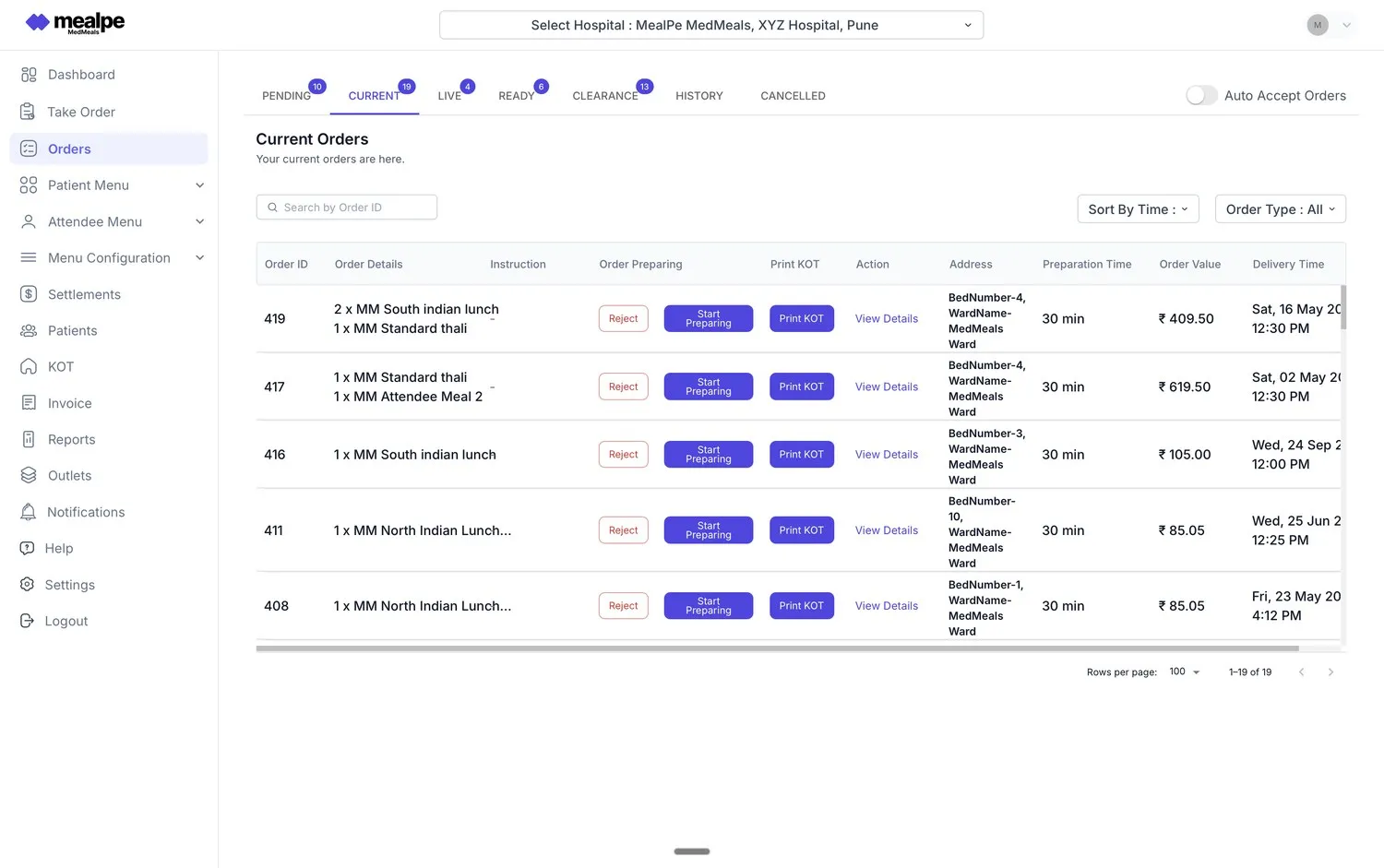
    Pending, current, live, ready, clearance, history and cancelled tabs show where every order stands, with counts on the active tabs.

  • Accept, start preparing, print KOT

    Work each order from its row in the queue: accept it, start preparing it and print its KOT, with the bed and ward, preparation time and delivery time alongside.

  • Auto-accept when it suits you

    A toggle on the queue auto-accepts incoming orders, for kitchens that do not need a manual check on each one.

  • Print and digital dispatch

    Print KOTs at each station, run the live queue on a kitchen display, or do both. Each order is tracked from the kitchen to the bedside.

  • The diet on every ticket

    KOTs and meal cards carry the patient's diet, so the cook plating lunch knows it is renal and low sodium without checking a register.

How an order moves through the kitchen

  1. Step 1: The order arrives

    Orders from RSOT tablets, the attendee app, online ordering and the admin desk land in the queue as pending orders.

  2. Step 2: The kitchen accepts it

    Staff accept the order, or auto-accept does it for them, and it moves into the kitchen's current work.

  3. Step 3: KOTs and meal cards print

    Consolidated KOTs go to the right station, and meal cards are produced for each patient and meal slot.

  4. Step 4: Cooking and plating

    Staff start preparing the order and mark it ready once the tray is plated and matched to its meal card.

  5. Step 5: Dispatch to the bed

    Delivery staff take the tray to the bed, where an OTP confirms it was received, and the order moves on to clearance.

The current orders queue

Each row shows the order's items, any instructions, the bed and ward address, preparation time, order value and delivery time. Tabs across the top separate pending, current, live, ready, clearance, history and cancelled orders, and a switch turns auto-accept on or off.

  • Start preparing, print KOT or view details per order
  • Search by order ID, sort by time, filter by order type
  • Bed and ward address on every row
Kitchen order queue
MedMeals current orders queue with bed and ward addresses, preparation time, order value and Print KOT buttons

Current orders queue with Print KOT on every row
KOTs for the station that cooks them

A diet kitchen should not have to read through the main kitchen's orders to find its own. MedMeals consolidates orders into KOTs by station, so each team gets only the work it cooks, with the bed, ward, meal slot and diet on every ticket.

  • Consolidated per station, not one long list
  • Printed, shown on a kitchen screen, or both
  • Meal cards per patient and meal slot
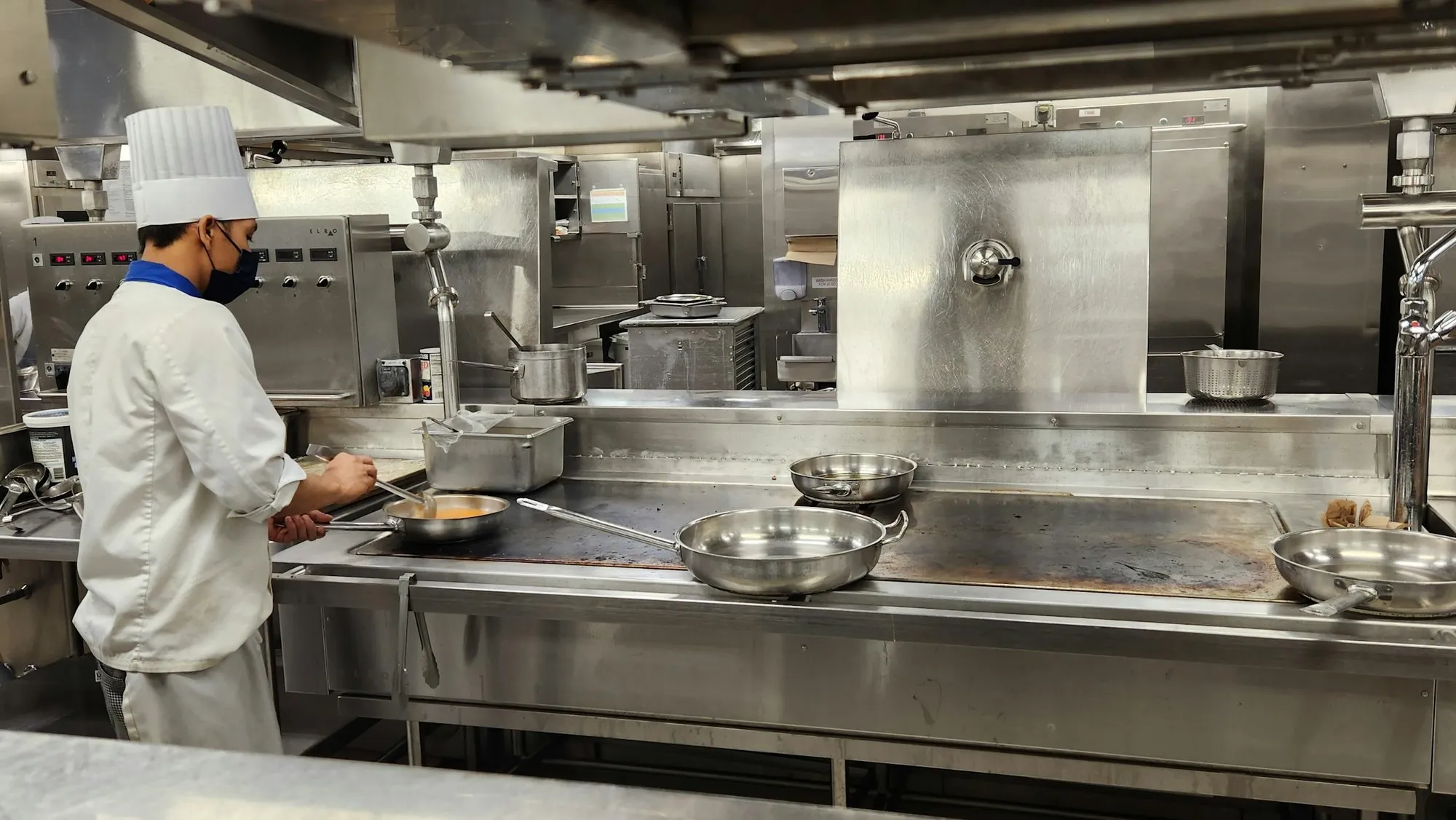
Chef in a toque and face mask cooking at a long stainless steel line in a large institutional kitchen

Each station gets the KOTs it cooks

Kitchen operations on paper versus MedMeals

Paper versus MedMeals
Kitchen operations on paper versus MedMeals
Area On paper With MedMeals
Order intake Ward sheets, calls and messages copied by hand Every channel in one live queue
KOTs Written out separately for each station Consolidated and routed to the right station
Meal cards Handwritten per tray, when time allows Produced for every patient and meal slot
Diet changes Phoned in and easy to miss before service Carried on the next KOT, with an alert to the kitchen
Order status Wards call the kitchen to ask Pending, preparing and ready visible on the queue
End of service Tickets counted by hand History and cancelled orders kept on record

What changes in a kitchen that runs on MedMeals

  • Meal cards and KOTs, automated

    Cards and tickets are produced from the orders themselves, so nobody copies a ward sheet before service.

  • Fewer meal-service errors

    The bed, ward and diet are printed on every ticket, so trays are built from the order and not from memory.

  • A calmer pass

    Everyone can see what is pending, cooking and ready, which means fewer interruptions from the wards during service.

  • Every meal accounted for

    From the moment an order arrives to the moment its tray is cleared, the kitchen has a record of it.

Questions buyers ask

Still have a question? Ask our team or call +91 79845 98296.

What is hospital kitchen management software?

It is software for the production side of hospital food service: taking in orders from the wards, producing meal cards and KOTs, running the order queue and dispatching trays. MedMeals does this on the same platform that holds each patient's diet, so the kitchen always cooks to the current diet order.

What is a KOT in a hospital kitchen?

A KOT, or Kitchen Order Ticket, tells a kitchen station what to prepare. In a hospital it also needs the bed, ward, meal slot and diet. MedMeals consolidates orders into KOTs and routes each one to the station that cooks it.

Can we use a kitchen display instead of printed KOTs?

Yes. MedMeals supports print and digital dispatch. The live queue can run on a screen in the kitchen, KOTs can be printed at each station, or you can use both.

Does it work with a separate diet kitchen and main kitchen?

Yes. Kitchens, canteens and service points are set up as facilities, and consolidated KOTs are routed to the right kitchen station, so a diet kitchen and a main kitchen each receive their own work.

Can the kitchen accept orders automatically?

Yes. The order queue has an auto-accept toggle. With it on, incoming orders are accepted without a manual step. With it off, staff accept each order before it moves into preparation.

How does the kitchen hear about a diet change?

A diet change triggers a real-time alert to the kitchen and the ward, and the patient's next order carries the new diet on its KOT and meal card, so nobody has to phone it through.

Run a lunch service through the MedMeals kitchen

Book a demo and bring your kitchen layout. We will show orders arriving, KOTs routing to your stations and trays leaving for the wards.

Demo request Reply within one working day

Request a personalized demo

Your role (tick one)

We will only use your details to arrange the demo. See the privacy policy.