Catering service Main kitchen, lunch

Hospital catering software for the teams that run hospital kitchens

Whether you hold the catering contract or run the kitchen in-house, MedMeals puts ward orders, diet rules, KOTs, delivery proof, billing and reports in one system that your team and the hospital both work from.

Orders in
Wards, attendee app, admin
Production
KOTs by kitchen station
Proof
OTP at every bed
Settlement
Itemized and exportable

A hospital catering contract runs on trust and paperwork

When a caterer takes over a hospital kitchen, it inherits the hospital's paper. Diet lists are phoned in from each floor, counts are written on slips, attendee meals run on coupons or cash, and the monthly bill is checked against registers that the hospital and the caterer each keep in their own way.

Every missed diet change becomes the caterer's error in the hospital's audit. Every unbilled attendee meal is lost revenue, and every disputed count delays payment. Software built for events or corporate cafeterias does not help, because it cannot tell a renal diet from a regular thali.

Built for catering inside a hospital

MedMeals handles the hospital side of catering: diets, beds, wards and audits. Your team gets clean orders and a clear record of everything it served.

  • Ward orders in one queue

    Bedside orders taken by staff, attendee app orders, online orders from families and admin orders for wards arrive in one queue, each tagged with its bed and ward.

  • Diets checked before the order reaches you

    Patient menus only offer items that fit each diet and avoid recorded allergies, so your kitchen cooks orders that are already compliant.

  • Consolidated KOTs and meal cards

    Orders roll up into KOTs for each kitchen station and meal cards for each patient and meal slot, ready to batch-print or push to screens.

  • Live production queue

    Accept orders, start preparing and print KOTs from one queue, with pending, current, live, ready, clearance, history and cancelled views.

  • Proof of delivery for the contract

    Every tray carries a QR code that is scanned on its way out, and two OTPs close the loop: one at the bedside handover, one when the tray is cleared. That record is your proof of service.

  • Billing and settlement from actual orders

    Itemized invoices per patient, attendee or department come straight from the orders served, with hospital billing, UPI, card and cashless insurance-borne settlement.

  • Reports you can share with the hospital

    Meals served by ward, diet or period, diet compliance, forecast versus actual, waste and cost trends and financial summaries, all exportable for reviews and audits.

  • Several kitchens and service points

    Set up each kitchen, canteen, vendor and service point as a facility, and route every KOT to the station that makes it.

A catering shift in MedMeals

  1. Step 1: Orders come in

    Ward staff, families and admins place orders for the meal window. Each order carries the bed, the ward and the patient's diet.

  2. Step 2: The kitchen plans production

    Orders consolidate into KOTs by station and meal cards by patient, so the team cooks to counts instead of reading slips.

  3. Step 3: Trays go out

    Dispatch staff scan each order's QR code, and the live status updates for the kitchen, the ward and the family.

  4. Step 4: Handover is verified

    At the bedside, the delivery OTP ties the tray to the patient. When the empty tray is collected, the clearance OTP closes the order.

  5. Step 5: Billing follows the order

    Each served order becomes an itemized charge: added to the patient's final bill, paid by the attendee or invoiced to a department.

  6. Step 6: Both sides see one record

    Meal, compliance and financial reports export for the monthly review, so the caterer and the hospital reconcile from one set of numbers.

The live queue your kitchen runs on

The current orders screen lists every order with its bed and ward address, preparation time, order value and delivery time. Supervisors accept orders, start preparation and print KOTs from the same row, and nothing depends on a phone call being written down.

  • Bed and ward on every order
  • Accept, start preparing and print KOT in one place
  • Separate views from pending to cancelled
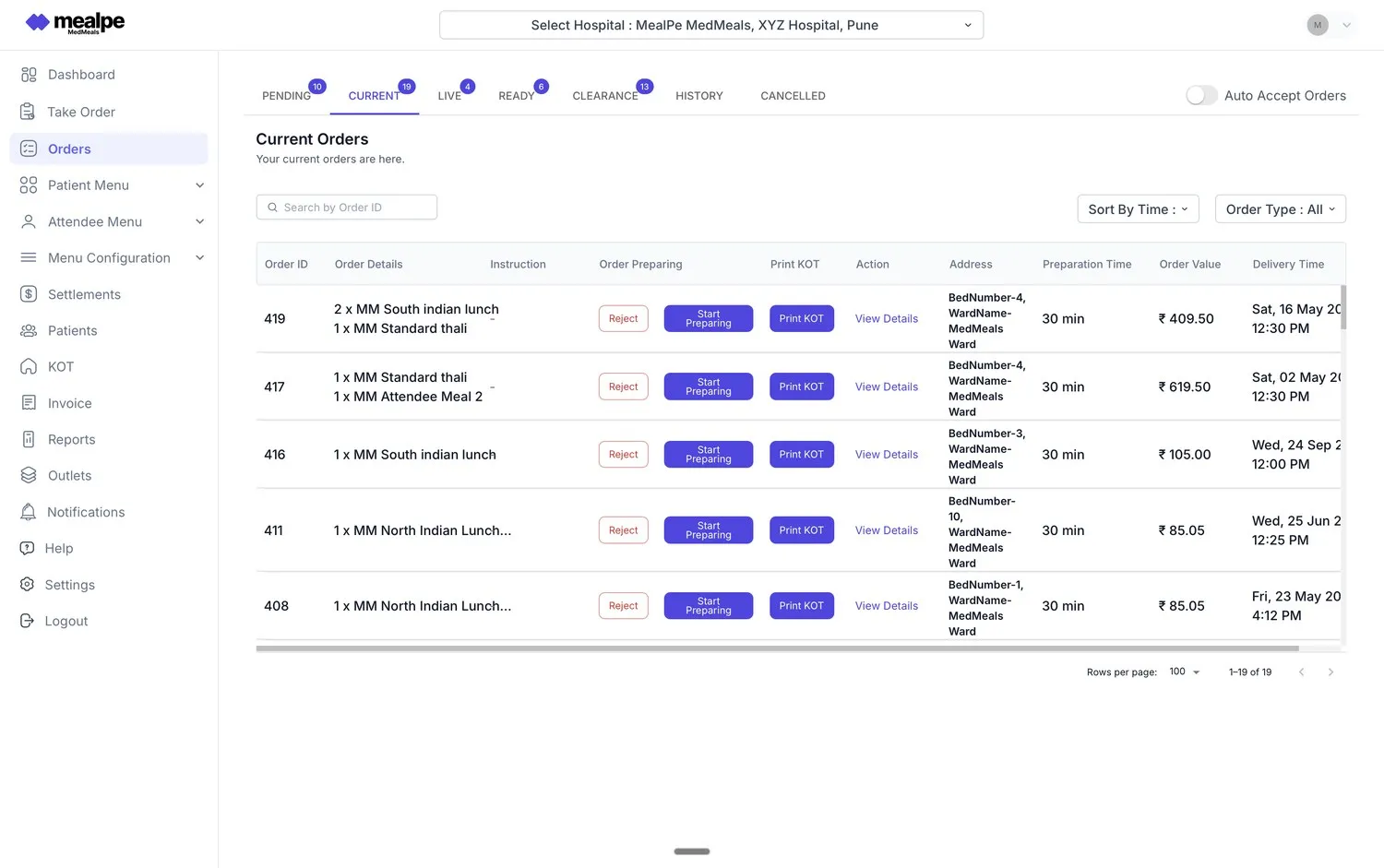
Kitchen order queue
MedMeals current orders queue with bed and ward addresses, preparation time, order value and Print KOT buttons

Current orders queue with Print KOT

Made for institutional kitchens

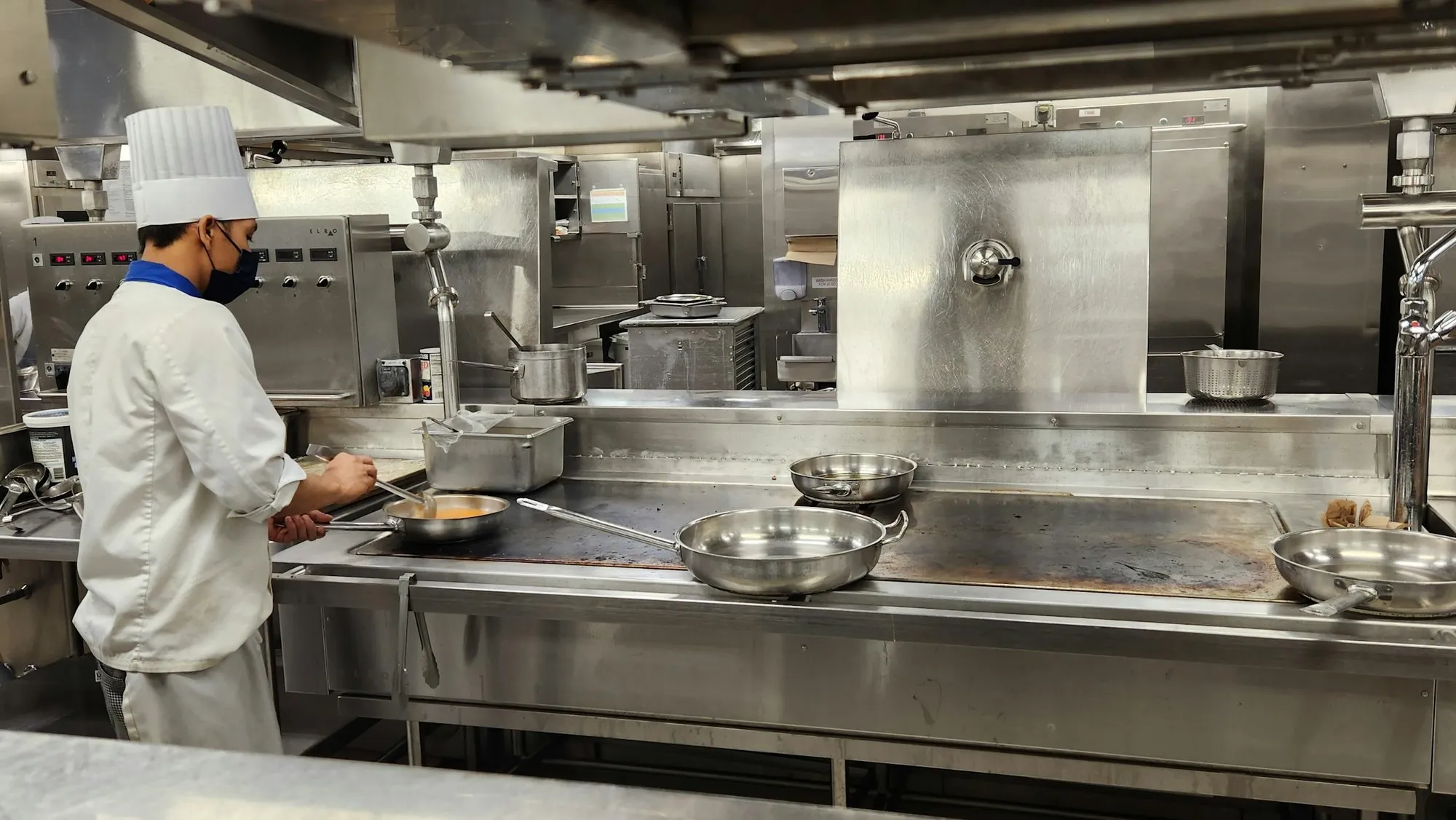
A hospital kitchen cooks to counts, diets and meal windows, not to table orders. MedMeals consolidates the day's orders into production tickets for each station, so a large team can plan portions for every diet and still send each tray to the right bed.

  • KOTs routed to the right kitchen station
  • Meal cards per patient and meal slot
  • Print and digital dispatch, tracked to delivery
Chef in a toque and face mask cooking at a long stainless steel line in a large institutional kitchen

Institutional kitchens cook to counts and diets

Hospital catering on paper versus MedMeals

Paper versus MedMeals
Hospital catering on paper versus MedMeals
Area On paper With MedMeals
Order intake Phone calls and handwritten counts from each floor Orders from wards, apps and admin in one queue
Diet changes Lost when the call does not reach the kitchen Alerted in real time, before the next meal is cooked
Production Slips tallied by hand before each meal Consolidated KOTs and meal cards by station
Proof of delivery A signature in a register, if anyone asks Delivery and clearance OTPs, with QR scans on the way
Attendee meals Coupons and cash at the counter Ordered and paid in the app by UPI or card
Monthly billing Counts disputed line by line Itemized invoices from actual orders, exportable

What the catering contract gains

  • Fewer meal-service errors

    Orders arrive with the diet, bed and ward attached, so fewer trays go to the wrong patient and fewer diet changes slip through.

  • Automation of cards, KOTs and billing

    The paperwork of every shift, from meal cards to invoices, is generated from the orders themselves.

  • A complete digital audit trail

    Every order, delivery, clearance and transaction is logged, so the hospital and the caterer reconcile from the same record.

Questions buyers ask

Still have a question? Ask our team or call +91 79845 98296.

What is hospital catering software?

Hospital catering software runs the food service of a hospital kitchen, whether an outsourced caterer or the hospital's own team operates it. It takes orders from wards and families, applies patient diets, produces KOTs and meal cards, verifies delivery to the bed, and handles billing and reports. MedMeals covers each of those steps on one platform.

Can a contract caterer and the hospital use MedMeals together?

Yes. Roles and permissions let the caterer's kitchen, dispatch and billing staff and the hospital's dietitians, nurses and administrators work in the same system, each seeing what their role needs, with full audit logs.

How does the hospital verify what the caterer delivered?

From the record. Each order's QR code is scanned as it moves, the handover to the patient is confirmed with a delivery OTP and the empty tray with a clearance OTP. At month end, meal reports show meals served by ward, diet or period, so the hospital checks the bill against the same data.

How are catering bills and settlements handled?

Every served order becomes an itemized line, so what the caterer bills can be traced to actual orders rather than counts. Patient meals can roll into each patient's final bill, attendees pay for their own orders in the app, and all transactions export for reconciliation with the hospital's finance team.

Does it support more than one kitchen or station?

Yes. Every kitchen, canteen, vendor and service point can be set up as its own facility, and each consolidated KOT goes to the kitchen station that prepares it.

How is hospital catering different from event or corporate catering management software?

A hospital caterer serves patients on therapeutic diets, delivers to beds across many wards, feeds attendees who pay for their own meals and supports the hospital's NABH documentation. Catering management software for events or offices is not built for diet orders, bed-level delivery or patient billing.

Can the kitchen work from printed KOTs and meal cards?

Yes. KOTs and daily meal cards can be generated and batch-printed, or pushed to kitchen screens, and each order is tracked through delivery either way.

Run your hospital catering on one shared record

Book a demo with your menus and ward list. We will show how orders, KOTs, delivery proof and billing would work for your kitchen and the hospital you serve.

Demo request Reply within one working day

Request a personalized demo

Your role (tick one)

We will only use your details to arrange the demo. See the privacy policy.