F&B operations All outlets, today

Hospital F&B management system for patient, attendee and canteen dining

MedMeals runs hospital food and beverage on one platform: clinically safe patient menus, paid attendee meals, kitchens and canteens, every ordering channel, KOTs, billing and reports. One patient record, one menu engine and one order pipeline, from setup to settlement.

Patients
Therapeutic menus, bedside orders
Attendees
Paid menus, UPI and cards
Kitchen
Consolidated KOTs by station
Finance
Every meal billed and logged

Sample data

Hospital F&B is three operations sharing one kitchen

Food and beverage (F&B) in a hospital is not one business. There are patient meals, cooked to diet orders and delivered to beds. There are attendee and visitor meals, paid for by the families who stay with patients. And there are canteens and service points that feed everyone else. Many hospitals run each of them on separate registers, counters and spreadsheets.

The result is a department nobody can see whole. The diet kitchen works from slips, the canteen from a cash drawer and billing from whatever reaches the desk before discharge. How many meals were served, what they cost, what was wasted and what was billed gets answered at month end, by hand, if at all.

  • Patient dining

    Therapeutic menus per patient, ordered at the bedside or by family, cooked to the diet and charged to the patient's bill.

  • Attendee and visitor dining

    Families and visitors order from a paid menu on their phones, pay by UPI or card, and eat at the canteen or have the meal brought to the bed.

  • Canteens and service points

    Kitchens, canteens, vendors and service points are set up as facilities in the same system as the wards they serve.

  • Department billing

    Meals charged to a department are invoiced to that department, from the same orders as everything else.
What a hospital F&B management system should run

Seven connected modules share one patient record, one clinically aware menu engine and one order pipeline, so every part of F&B works from the same data.

  • Patient and attendee menus

    One menu engine holds nutrients, therapeutic diets, diet cycles and allergies for patients, plus separate paid menus for attendees, with breakfast, lunch, dinner and snack windows.

  • Four ordering channels, one queue

    Bedside ordering by staff (RSOT), attendee self-ordering, online ordering by families and admin ordering for wards all land in the same queue and dashboard.

  • Kitchen production by station

    Daily meal cards per patient and slot, consolidated KOTs routed to the right kitchen station, and a live queue that tracks each order from pending to ready.

  • Delivery confirmed at the bed

    Live order status, a QR code on every order, a delivery OTP at handover and a second OTP when the tray is cleared.

  • Billing and settlement

    Itemized invoices per patient, attendee or department, generated from actual orders and settled through hospital billing, UPI, cards or cashless insurance-borne settlement.

  • F&B cost and waste visibility

    A hospital F&B management system should show where the money goes. MedMeals reports forecast versus actual, waste and cost trends, and revenue, outstanding amounts and settlements for finance.

  • Masters for every outlet

    Buildings, wards, floors, rooms and beds; kitchens, canteens, vendors and service points; and roles for dietitians, kitchen, nursing, admin and billing, all set up once.

  • HIMS and HMS integration

    Admissions and patient details sync from your HIMS or HMS, and each patient's diet profile follows them across bed transfers.

How a meal moves through hospital F&B

  1. Step 1: Configure once

    Model wards and beds, kitchens and canteens, menus, diets and roles in the masters. Every later step reads from this setup.

  2. Step 2: Take orders from every door

    Nurses order at the bedside, families order from their phones and admins bulk-manage ward orders. Patient menus already fit each diet, and attendees order from their own paid menu.

  3. Step 3: Produce by station

    Each station gets a consolidated KOT and each patient a meal card for the slot, on paper or on a kitchen screen.

  4. Step 4: Deliver and verify

    Trays are scanned out of the kitchen by QR, handed over at the bed against a delivery OTP and closed with a clearance OTP when collected.

  5. Step 5: Bill and settle

    Patient charges roll into the final bill, attendee orders settle by UPI or card, and department meals are invoiced to the department.

  6. Step 6: Review cost and waste

    Compare forecast with actual, follow waste and cost trends, and export financial reports and audit logs for the finance and quality teams.

One dashboard for the whole F&B operation

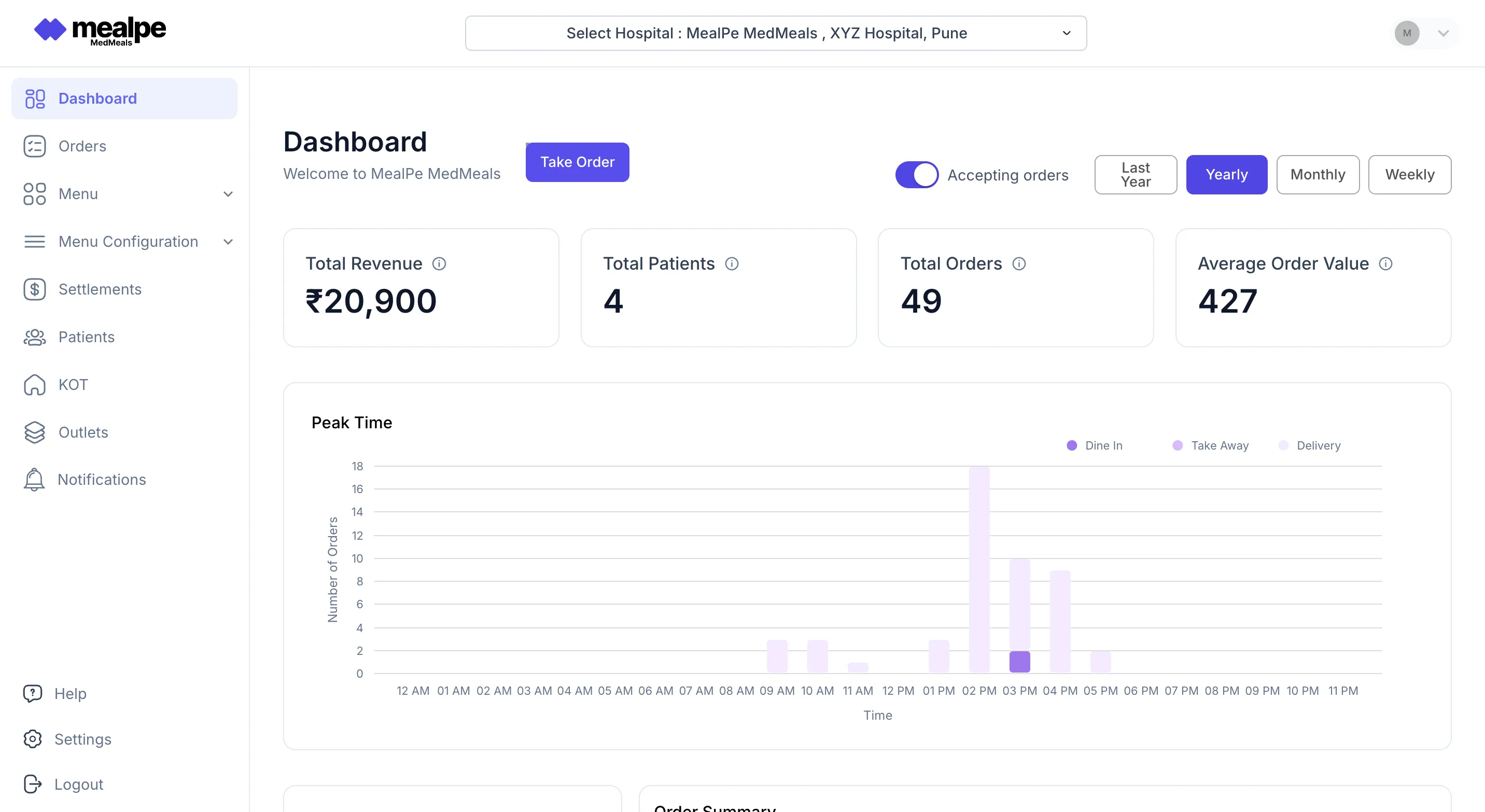
The admin dashboard shows revenue, patients served, total orders and average order value for any period, with a peak-time chart of orders by hour. It runs on the same data the kitchen and billing teams use, so the numbers in the review meeting match the numbers on the floor.

  • Revenue, patients served and orders at a glance
  • Peak ordering hours for planning kitchen shifts
  • Daily, weekly, monthly and custom date ranges
Admin dashboard
MedMeals admin dashboard showing revenue, patients served, total orders and a peak-time chart of orders by hour

Admin dashboard with revenue, orders and peak times

Patient meals and attendee meals, one kitchen plan

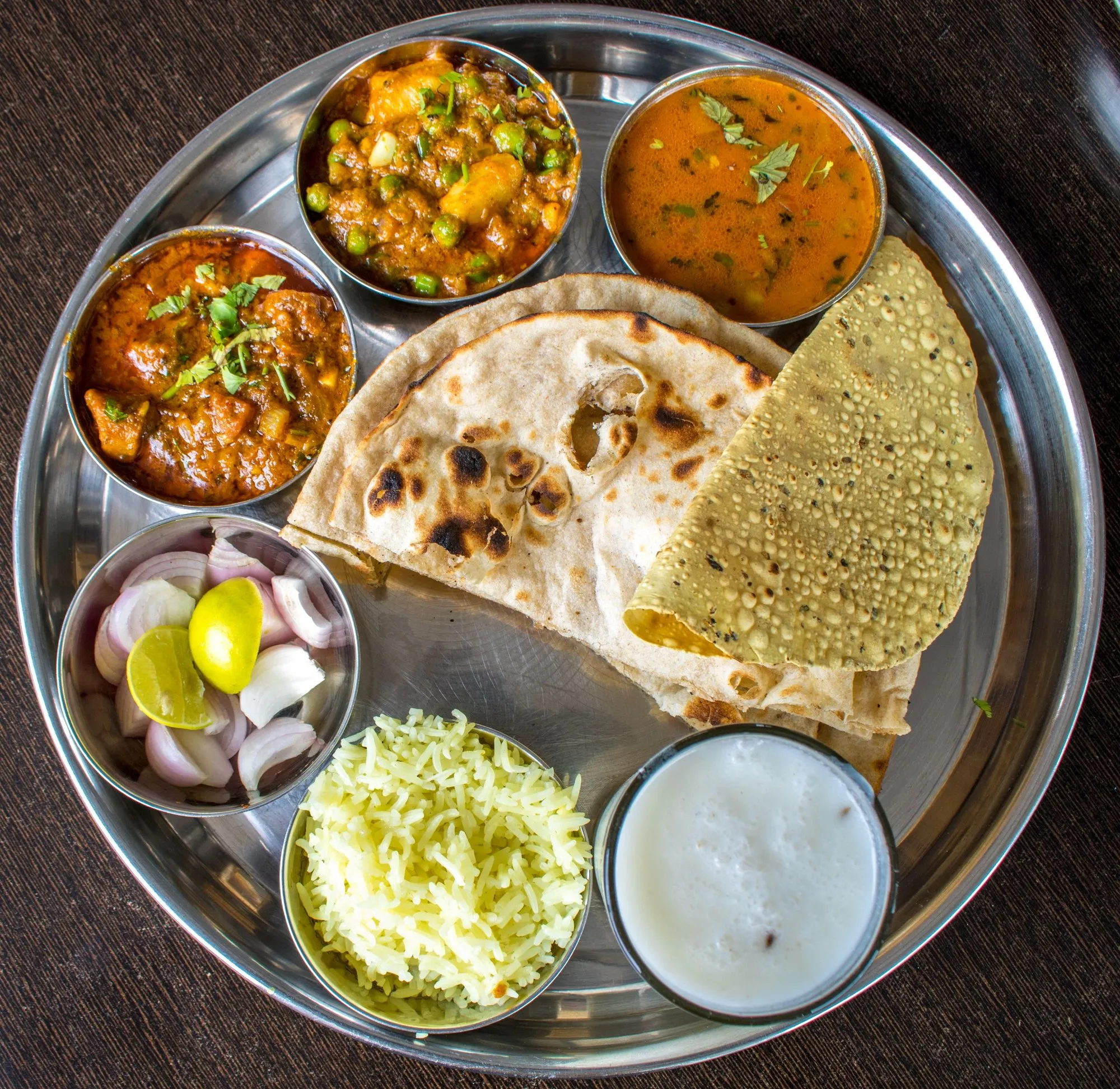
A renal patient's lunch and their attendee's thali come out of the same kitchen but from different menus. MedMeals keeps them apart where it matters, on the menu and on the bill, and together where it helps, in one queue and one production plan.

  • Therapeutic menus for patients, paid menus for attendees
  • One queue and one set of KOTs for the kitchen
  • Separate settlement for attendee orders
Round steel thali with roti, papad, three curries, jeera rice and raita, seen from above

Attendee menus run alongside therapeutic patient menus

Hospital F&B on registers versus one system

Paper versus MedMeals
Hospital F&B on registers versus one system
Area On paper With MedMeals
Patient meals Diet slips copied from ward registers Ordered from each patient's compliant menu
Attendee meals Cash at the counter, with no link to the ward Ordered and paid in the app, with delivery to the bed
Kitchen Portions counted by hand before every meal Consolidated KOTs routed to each station
Delivery No proof the tray reached the bed Delivery and clearance confirmed by OTP
Billing Meal charges re-entered, or missed at discharge Charges roll into the final bill from actual orders
Cost and waste Known at month end, if at all Forecast versus actual, waste and cost trends
Audits Registers pulled from every department Exportable logs for NABH and internal audits

What one F&B system changes

  • Every meal accounted for

    Invoices come from actual orders, so every meal served is billed to a patient, an attendee or a department and logged for finance.

  • 100% diet compliance

    Patient menus hide anything a diet does not allow, so compliance does not depend on the person at the counter or the stove.

  • Automation of cards, KOTs and billing

    Meal cards, KOTs and invoices are generated from orders instead of being written by hand before every meal and every discharge.

  • A complete digital audit trail

    Orders, deliveries, clearances and transactions are logged across every outlet, ready to export for NABH and internal audits.

Questions buyers ask

Still have a question? Ask our team or call +91 79845 98296.

What is a hospital F&B management system?

A hospital F&B management system runs a hospital's food and beverage operation on one platform: patient menus and diet orders, attendee and visitor meals, ordering, kitchen production, delivery, billing and reports. MedMeals does this with one patient record, one clinically aware menu engine and one order pipeline, so every meal can be traced from order to invoice.

How is hospital F&B management software different from hotel or restaurant F&B software?

Hotel and restaurant systems sell to whoever orders. A hospital has to know who the meal is for first. Patient meals follow a doctor's diet order, allergies and textures, are delivered to a bed and are billed to an inpatient account or settled through cashless insurance. MedMeals is built around those rules, and also handles paid attendee meals, NABH documentation and HIMS integration.

Can one system run patient meals, attendee meals and the canteen?

Yes. Patient and attendee menus live in the same menu engine, kitchens and canteens are set up as facilities in the same masters, and every order, whichever channel it comes from, lands in one queue and one set of reports.

How does MedMeals help control F&B cost and food waste?

Operational analytics show forecast versus actual meals and waste and cost trends, so kitchen planning starts from what the wards actually order. Financial reports show revenue, outstanding amounts and settlements. Decisions stay with your F&B team, and MedMeals gives them the numbers.

How are meals billed to patients, attendees and departments?

Itemized invoices are generated from actual orders for each patient, attendee or department. Patient charges can roll into the final bill, attendee orders are settled separately by UPI or card, and cashless insurance-borne settlement is supported. Every transaction is logged and exportable.

Does MedMeals replace our HIMS?

No. MedMeals runs the meal service alongside your HIMS or HMS. Admissions and patient details sync in, each patient's diet profile follows them across transfers, and meal charges are itemized so they can reach the final bill without re-entry.

Does it work if our hospital kitchen is outsourced?

Yes. Whether a contractor or your own team runs the kitchen, everyone works from the same orders and records. Dietitians and nurses handle diets and ordering, the caterer's staff handle the kitchen queue, dispatch and billing, and permissions keep each role to its own work.

What about staff dining and cafeterias?

MedMeals is built around patient and attendee meals, and canteens and service points are part of its setup. It is a product by MealPe, whose platform also runs cafeterias and QR ordering on institutional campuses. Tell us how your staff dining is organized and we will show you what fits.

See your hospital's F&B on one screen

Book a demo and tell us how your patient kitchen, attendee meals and canteens run today. We will map them to MedMeals, outlet by outlet.

Demo request Reply within one working day

Request a personalized demo

Your role (tick one)

We will only use your details to arrange the demo. See the privacy policy.