Attendee order Bed 201, Speciality ward

Hospital canteen management system for attendees and visitors

In Indian hospitals a family member usually stays with the patient, and they need to eat too. MedMeals gives attendees and visitors a paid menu on their phone: order, pay by UPI or card, and have the meal delivered to the bed or collected at the canteen, while your team works from one order queue.

Menu
Paid attendee menu
Payment
UPI or card, in the app
Order type
Delivered to the bed
Slot
Lunch, scheduled for 12:30
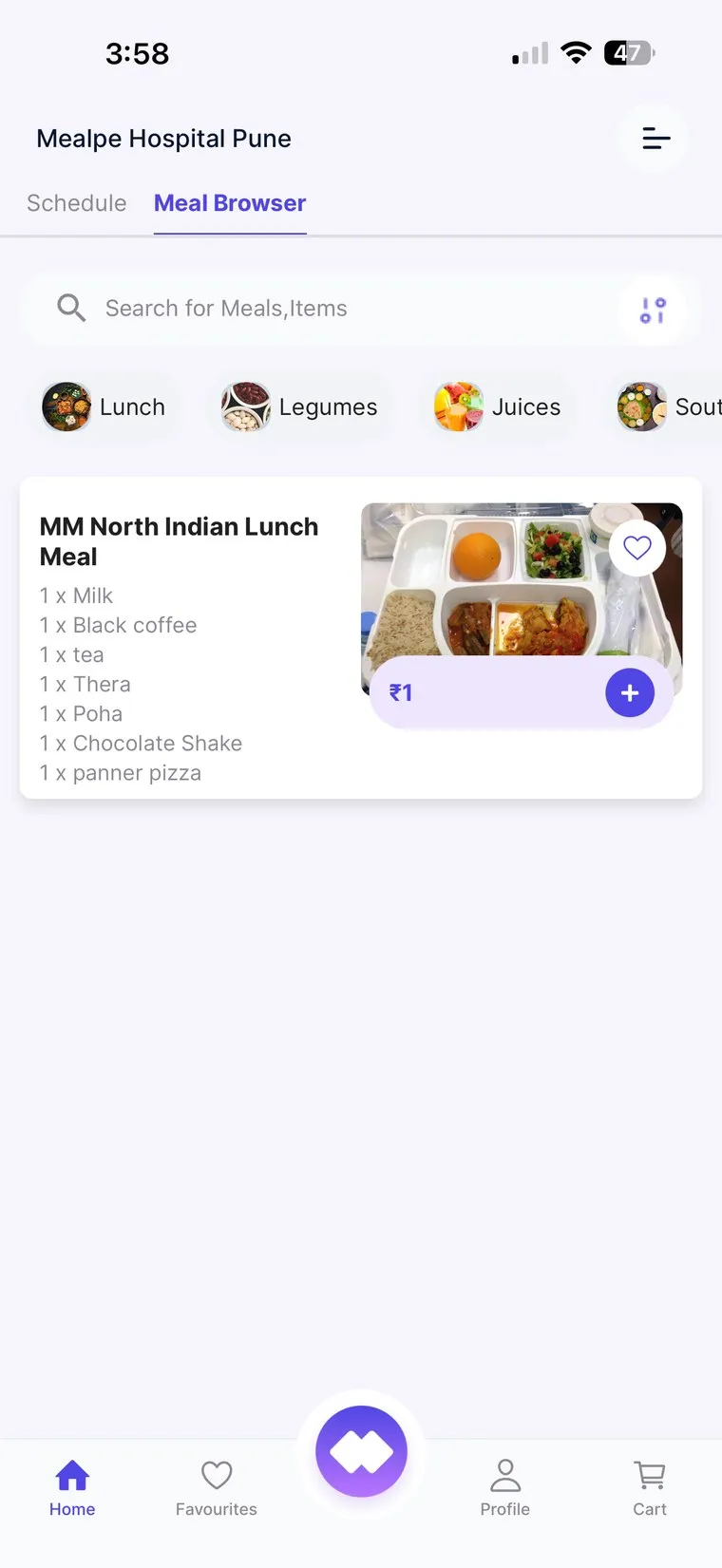
MedMeals patient and attendee app showing the meal browser with categories and a North Indian lunch meal

The meal browser attendees order from

Attendees eat three meals a day in your hospital too

In India a patient is rarely admitted alone. A family member or caretaker stays by the bed, runs to the pharmacy and the billing desk, and still needs breakfast, lunch and dinner. Today that usually means a queue at the canteen between doctor visits, cash at the counter and a steel tiffin carried back up to the ward.

For the hospital, the canteen becomes a crowded counter with cash to reconcile, no link to the wards it feeds and little data on what sells, or when. Attendee revenue is real, but it is hard to see and harder to manage.

A canteen that works from the patient's room

Attendee meal ordering in MedMeals runs on the same pipeline as patient meals, so the canteen, the kitchen and the billing desk all see the same orders.

  • Paid attendee menus

    Set up menus and prices for attendees and visitors, separate from patient therapeutic menus, with breakfast, lunch, dinner and snack windows.

  • Ordering from a phone

    Attendees browse meals by category in the MedMeals app and order for now or schedule a meal for later, without leaving the patient's side.

  • UPI and card payment

    Attendees pay for their own meals in the app by UPI or card, and each order is settled separately from the patient's bill. Less cash changes hands at the counter.

  • Bed delivery, pickup or dine-in

    Attendees choose whether the meal is delivered to the patient's bed and ward, collected from the counter or eaten at the canteen, and the order carries that choice to the kitchen.

  • Live order status

    Attendees watch each order move from placed to preparing, ready and delivered in the app, instead of asking at the counter.

  • One queue for canteen and kitchen

    Attendee orders land in the same queue and dashboard as patient orders, with a KOT for the station that prepares them.

  • Canteen revenue you can see

    The dashboard shows revenue, orders, average order value and peak hours, and financial reports cover settlements and outstanding amounts.

How an attendee meal works

  1. Step 1: Browse the attendee menu

    The attendee opens the MedMeals app and browses the paid attendee menu, organized by category.

  2. Step 2: Order and pay

    They add meals to the cart, choose bed delivery, pickup or dine-in, pick a time and pay by UPI or card.

  3. Step 3: The kitchen prepares it

    The order lands in the same queue as patient orders, with a KOT for the station that makes it.

  4. Step 4: Delivered or collected

    Bed deliveries are confirmed with an OTP at handover. Pickup and dine-in orders show as ready in the app when the food is.

  5. Step 5: Settled and reported

    The payment is logged against the order, and the canteen's revenue and settlements appear on the dashboard and in financial reports.

A cart built for the bedside

The attendee cart shows the ward and bed an order is for, the meals chosen and when they should arrive. A family member can add breakfast, lunch and dinner to one cart, choose dining or delivery to the bed, and schedule the order for a later time.

  • Dining or delivery to a bed and ward
  • Orders scheduled for a later time
  • Bed and ward attached for bedside delivery
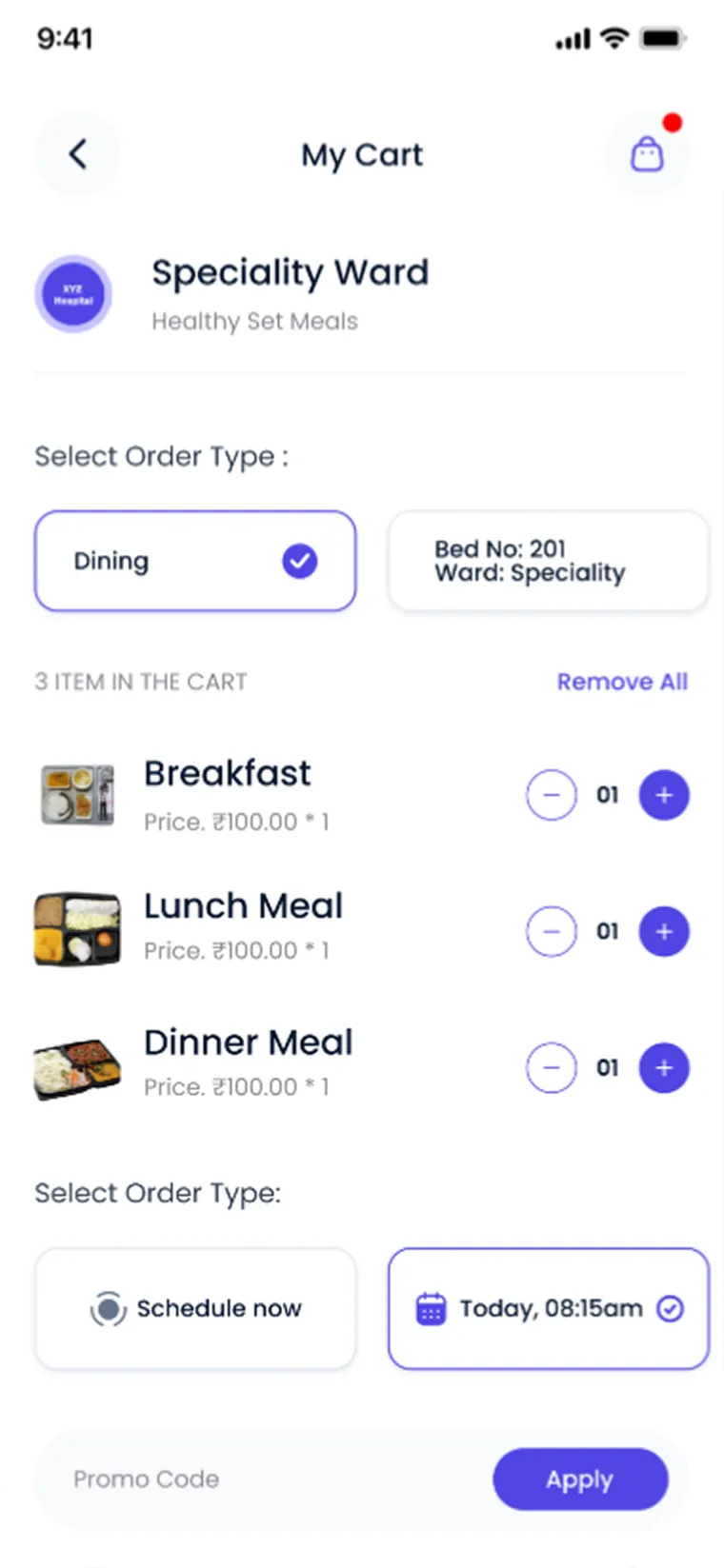
MedMeals app cart for a speciality ward with breakfast, lunch and dinner meals, bed number and scheduled delivery time

Attendee cart with bed, meals and a scheduled time
Built by MealPe, whose platform powers campus cafeterias

MealPe's platform powers cafeterias and QR ordering on institutional campuses, and has processed 10 lakh+ meals across 20+ campuses with 100+ food vendors. MedMeals, a product by MealPe, brings that ordering experience to the hospital canteen and builds it around attendees, beds and wards.

  • A product by MealPe
  • Built for attendees, beds and wards
  • UPI and card payment in the app
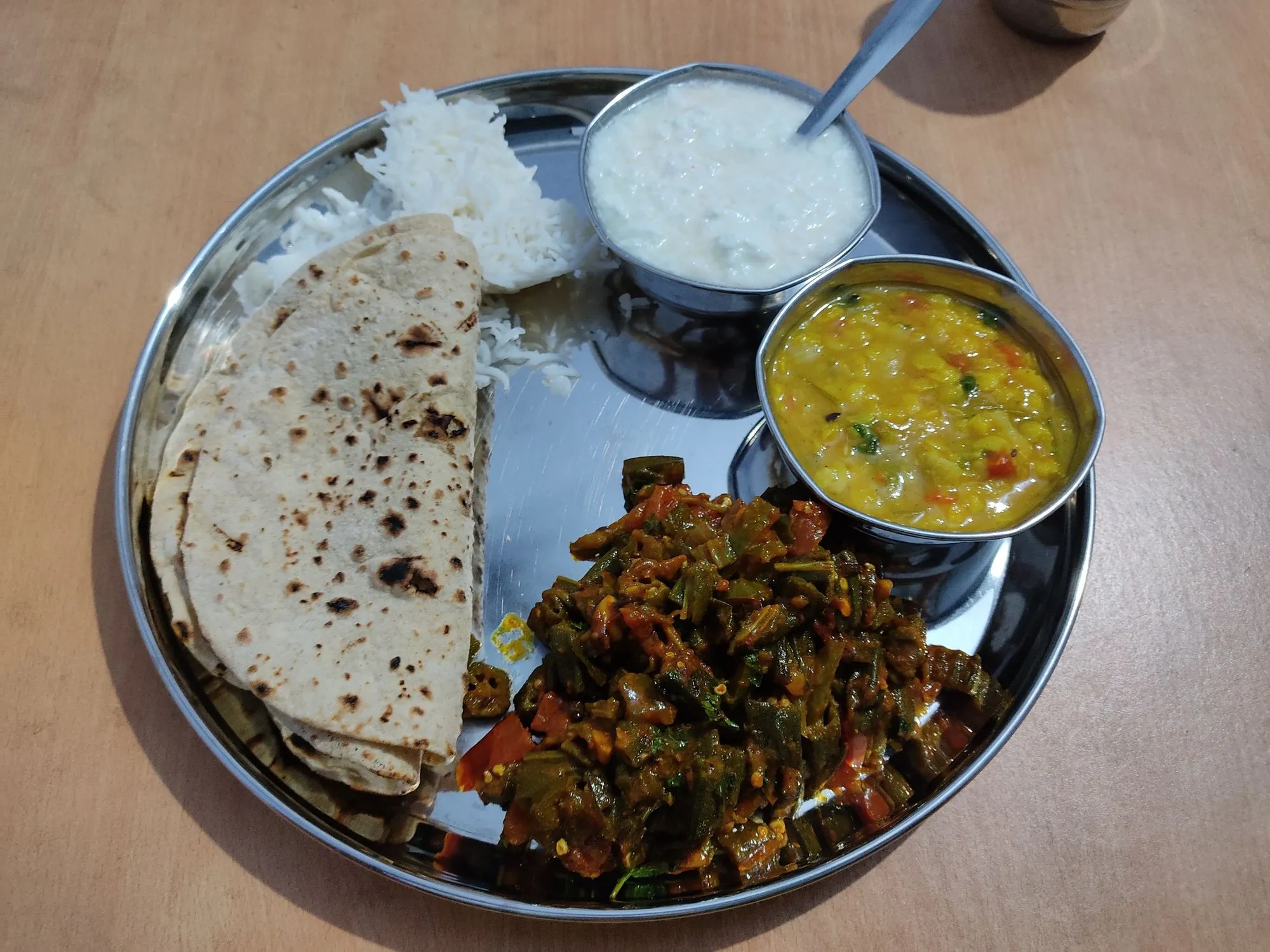
Home-style vegetarian thali with chapati, rice, yellow dal, curd and bhindi in steel katoris

Home-style meals, ordered from the patient's room

The canteen counter versus MedMeals

Paper versus MedMeals
The canteen counter versus MedMeals
Area On paper With MedMeals
Ordering A queue at the counter between doctor visits Ordered from a phone in the patient's room
Payment Mostly cash, counted at the end of the shift UPI or card in the app, logged per order
Getting the food Carried up to the ward by the attendee Delivered to the bed, or ready at the counter
Order status Asked at the counter, again and again Live order status in the app
Kitchen Counter orders shouted across to the kitchen Orders in the kitchen queue with a KOT
Reporting Cash totals and a register Revenue, settlements and peak hours on a dashboard

Questions buyers ask

Still have a question? Ask our team or call +91 79845 98296.

What is a hospital canteen management system?

A hospital canteen management system runs food service for attendees, visitors and other diners: menus and prices, ordering, payment, kitchen tickets, delivery and reports. In MedMeals it runs on the same platform as patient meals, so the canteen and the diet kitchen share one order queue.

Who are attendees, and why do they need their own menu?

An attendee is a family member or caretaker who stays with an admitted patient. Attendees order from a paid attendee menu that is kept separate from the patient's therapeutic menu, so family orders never mix with the patient's diet order.

How do attendees pay for their meals?

Attendees pay in the MedMeals app by UPI or card. Attendee orders are settled separately from the patient's bill, and every transaction is logged and exportable for finance.

Can canteen meals be delivered to the patient's room?

Yes. Attendees can choose delivery to the patient's bed and ward. Live status shows the order's progress, and a delivery OTP confirms the handover.

Do we need separate canteen software alongside the patient meal system?

No. The canteen is set up as a facility in MedMeals, and attendee orders share the pipeline, dashboard and reports that patient meals use, so there is one system to run and one set of numbers.

Is this the same as a factory or office canteen management system?

No. Most canteen management systems are built for employee meals in factories and offices. MedMeals is built for hospitals: attendees ordering from a patient's room, delivery to beds and wards, and the same platform running clinically safe patient meals.

Can visitors order meals, or only attendees staying overnight?

Both. Visitors and caretakers can order and pay for their own meals in the app, from the same paid attendee menu.

Take the queue out of your hospital canteen

Book a demo and see the attendee app, the canteen queue and the reports your finance team gets, set up with your menus and prices.

Demo request Reply within one working day

Request a personalized demo

Your role (tick one)

We will only use your details to arrange the demo. See the privacy policy.